
How-to Guides
Setup Google Analytics
Track app usage in Google Analytics alongside your website traffic
Setup Google Analytics
If your website already uses Google Analytics, starti.app automatically passes analytics data from the app to GA4 — no extra code needed on your part.
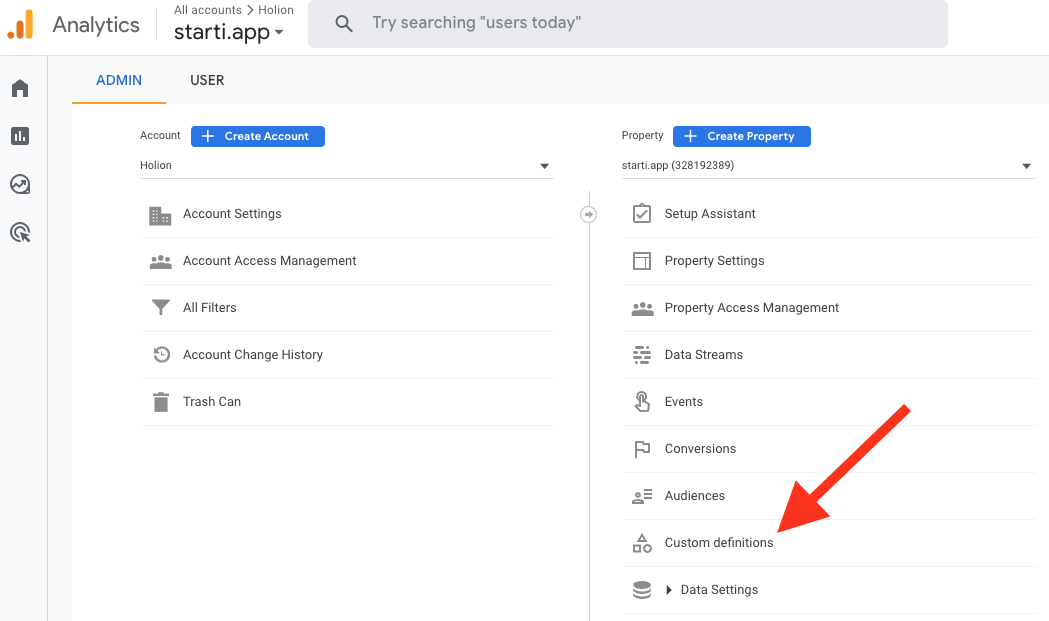
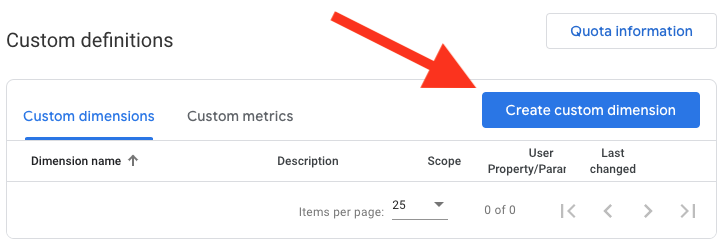
To distinguish app traffic from website traffic in your reports, you need to create a custom dimension in Google Analytics.
Open Google Analytics
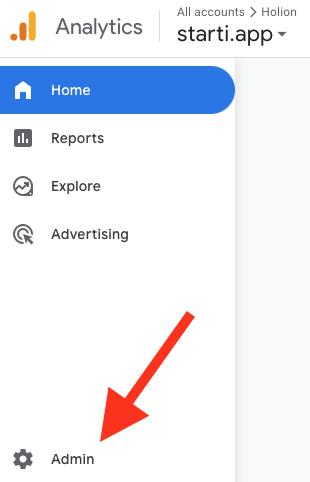
Go to your Google Analytics property and click Admin in the bottom-left corner.
Configure the dimension
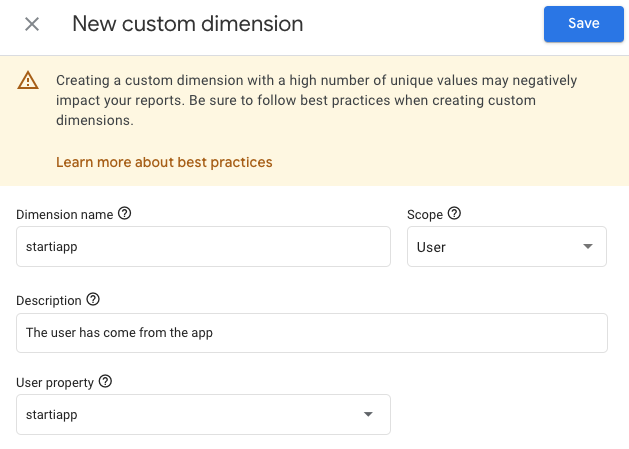
Fill in the fields as shown below and click Save.
| Field | Value |
|---|---|
| Dimension name | startiapp |
| Scope | User |
| User property | startiapp |
Verify the data
Open your app and use it for a few minutes. Then check your Google Analytics reports — you should see startiapp as a user property that lets you filter and segment app users.
It may take a few hours for Google to start displaying the data from the app.