
Setup Google Analytics
Track app usage in Google Analytics alongside your website traffic
Setup Google Analytics
If your website already uses Google Analytics, starti.app automatically passes analytics data from the app to GA4 — no extra code needed on your part.
To distinguish app traffic from website traffic in your reports, you need to create a custom dimension in Google Analytics.
Open Google Analytics
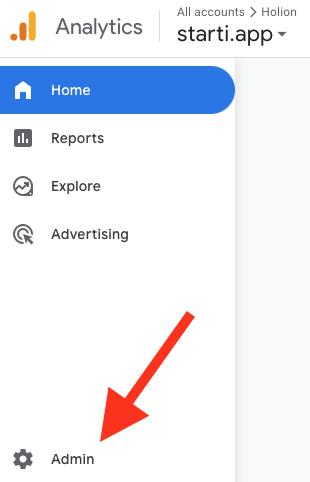
Go to your Google Analytics property and click Admin in the bottom-left corner.
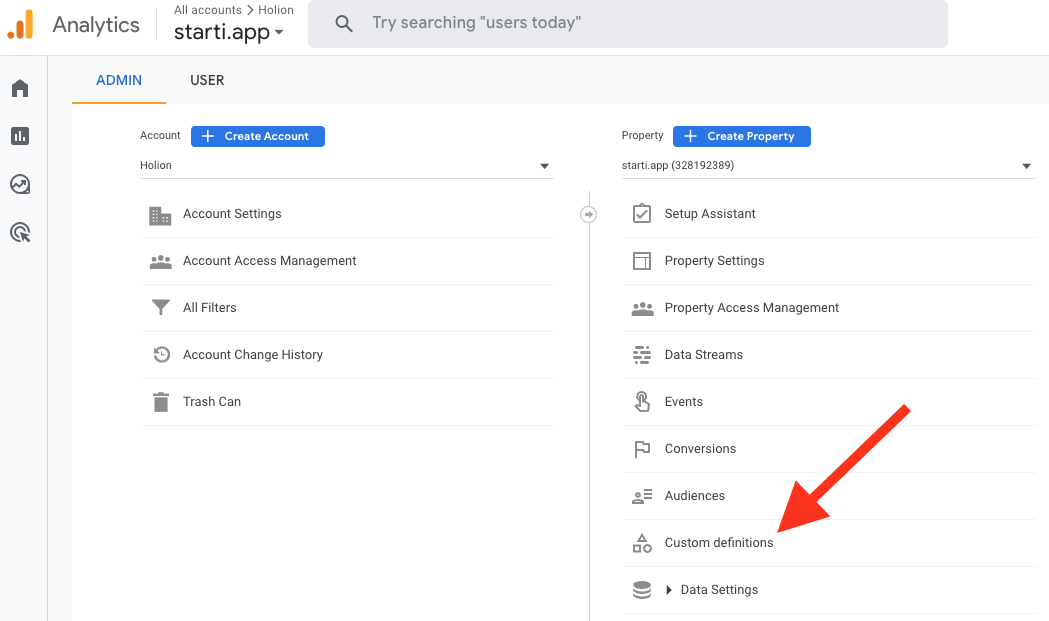
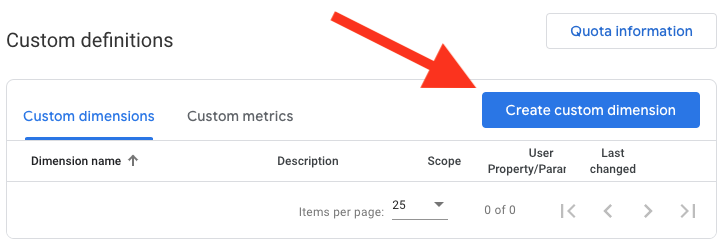
Configure the dimension
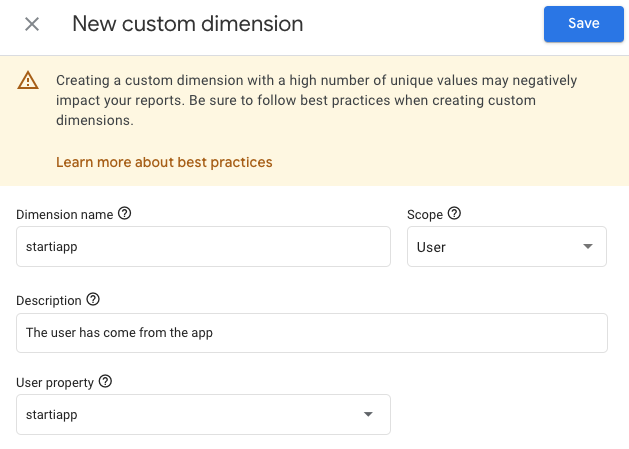
Fill in the fields as shown below and click Save.
| Field | Value |
|---|---|
| Dimension name | startiapp |
| Scope | User |
| User property | startiapp |
Verify the data
Open your app and use it for a few minutes. Then check your Google Analytics reports — you should see startiapp as a user property that lets you filter and segment app users.
It may take a few hours for Google to start displaying the data from the app.
Use the dimension in reports
The custom dimension only becomes useful once you can slice your reports by it. In GA4 that is done with comparisons.
Isolate app traffic
Open a report
Click Reports in the left-hand menu.
Add a comparison
Click Add comparison, then Create new.
Match on the dimension
| Field | Value |
|---|---|
| Dimension | startiapp |
| Match Type | exactly matches |
| Value | true |
The Summary now reads startiapp exactly matches 'true'.
Save it
Click Save and give the comparison a name and description — for example starti.app and Traffic came through the app.
Compare against mobile web traffic
The interesting comparison is usually app users against users who are on a mobile device but not in the app. Create a second comparison the same way, with two conditions:
| Condition | Dimension | Match Type | Value |
|---|---|---|---|
| Exclude | startiapp | exactly matches | true |
| Include | Device category | exactly matches | mobile |
Name it something like Mobile web and Mobile traffic that did not come through the app. With both comparisons active, every report shows app users and mobile web users side by side.