
Apple App Store
Set up your App Store Connect API key and publish your app to the Apple App Store
Apple App Store
This guide walks you through setting up your App Store Connect API key and publishing your app to the Apple App Store.
Prerequisites
- An Apple Developer account (requires enrollment in the Apple Developer Program)
- Access to App Store Connect
Create an App Store Connect API key
The starti.app team needs an API key to manage builds and submissions on your behalf.
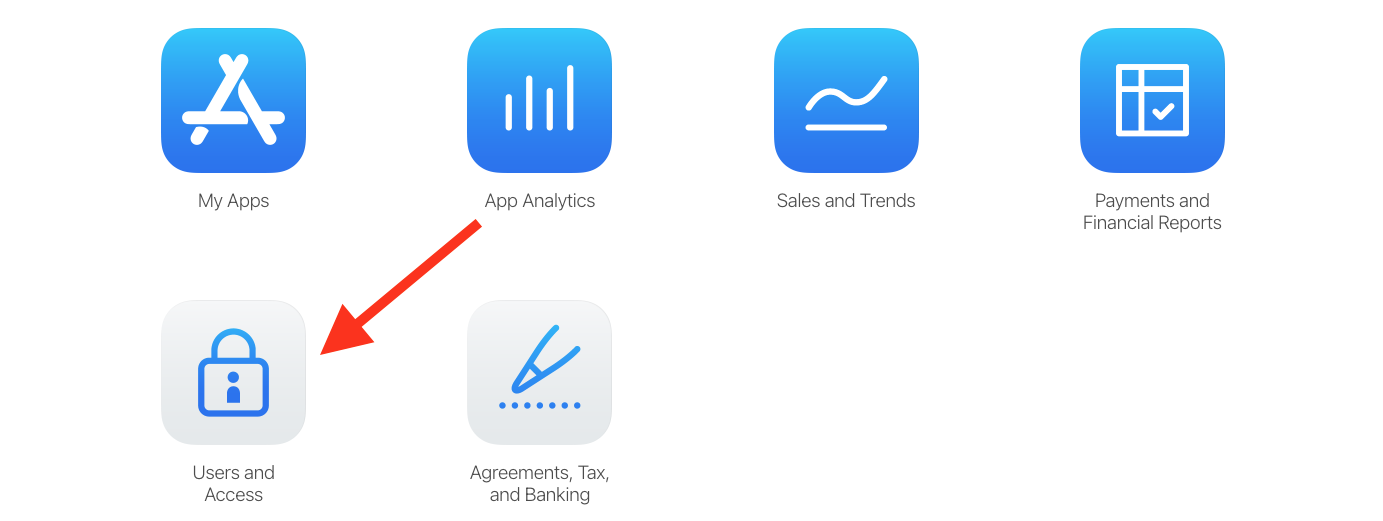

Request access
If this is your first time, click Request Access and accept the terms.
Generate a new key
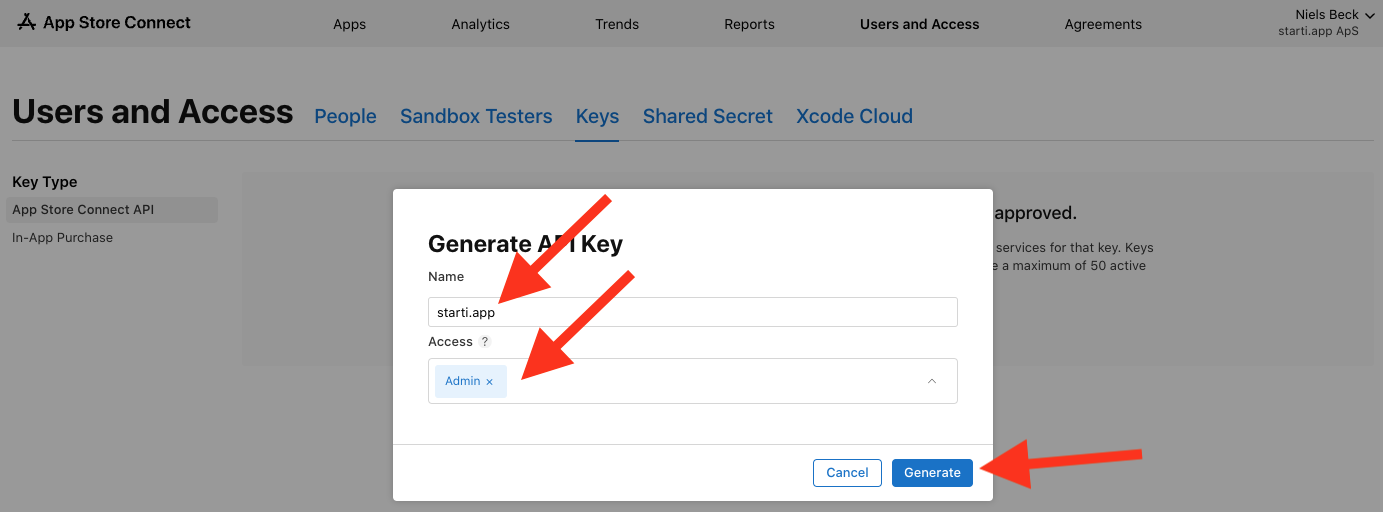
Click Generate API Key and fill in the details:
- Name:
starti.app(so you remember who has this key) - Access: Select Admin to grant the required privileges
Click Generate.
Download and send the key
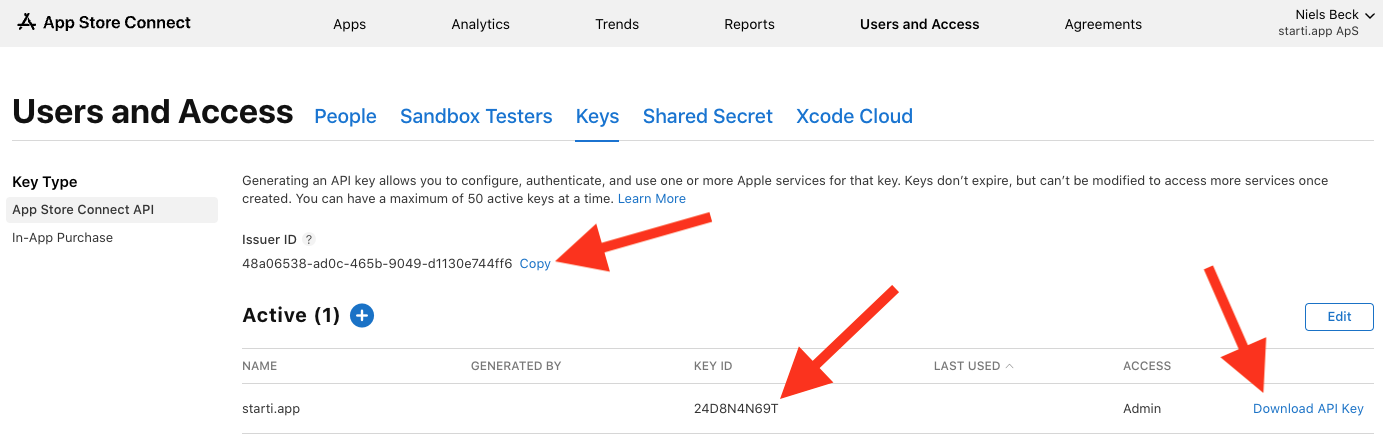
After generating, you will see the key listed with an Issuer ID and Key ID.
The API key can only be downloaded once. Download it immediately and keep it safe.
Prepare an email to developer@starti.app with:
- The Issuer ID (shown above the keys list)
- The Key ID (shown in the key row)
- The downloaded API Key file (.p8) as an attachment
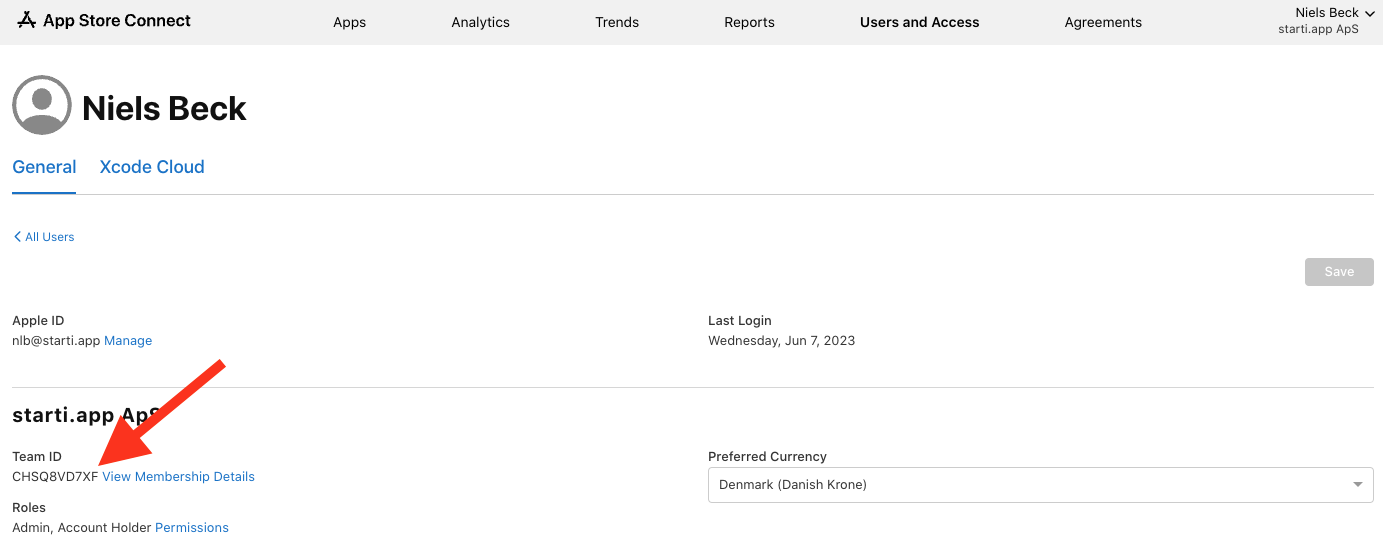
- Your Team ID (found under the profile icon > Edit Profile)
Find your Team ID
Click the profile icon in the upper-right corner, select Edit Profile, and copy the Team ID.
Send the email
Send the email with all four pieces of information to developer@starti.app.
What happens next
The starti.app team will:
- Configure your app's build pipeline
- Upload your first build to App Store Connect
- Help you set up your App Store listing (screenshots, description, keywords)
- Submit the app for review
Updating your app
After the initial setup, new versions go through the same pipeline:
- You make changes to your web app (no app update needed for web-only changes)
- For native changes, the starti.app team builds and uploads a new version
- The new version goes through App Review (typically 24-48 hours)
Web content changes do not require a new App Store submission. Only changes to native configuration or permissions require a new build.